
One-Click AMP Page Access in Chrome
Overview
The software enables users to detect and access Accelerated Mobile Pages (AMP) directly within the Chrome desktop browser. Designed for professionals in digital marketing, web development, and SEO, it streamlines the process of identifying AMP content across web pages. This tool supports real-time detection, allowing users to navigate to AMP versions with a single click, improving workflow efficiency when analyzing page performance or optimizing content delivery.
Target users include webmasters, SEO specialists, and content strategists who need quick access to AMP versions for testing, auditing, or analytics. The tool integrates seamlessly into the Chrome browsing environment, requiring no complex setup or additional software. It is particularly useful during site audits, competitor analysis, or when evaluating the impact of AMP on page load speed and user engagement.
The developer, WebMaster Tools, has positioned this utility as a lightweight solution for professionals focused on web optimization. While specific background details about the company were not provided, the product’s focus on AMP detection aligns with current trends in web performance and mobile-first indexing. The tool operates entirely within the browser, ensuring no system-level changes or installations beyond the extension.
Key Features & Capabilities
- Real-time AMP Detection – Automatically identifies AMP pages as users browse, displaying a visible indicator for quick recognition.
- One-Click Access – Provides immediate navigation to the AMP version of any detected page with a single click.
- Browser Integration – Fully compatible with Chrome on Windows, Mac, and Linux, requiring no additional configuration.
- Lightweight Design – Minimal file size ensures fast loading and low impact on browser performance.
- Non-Intrusive UI – Displays detection status without disrupting the browsing experience.
These features support practical workflows such as comparing standard and AMP page performance, validating AMP implementation across domains, or checking mobile optimization levels during site audits. For SEO professionals, the ability to instantly access AMP versions enhances the accuracy of content analysis and indexing checks. Web developers can use it to verify that AMP pages render correctly and load efficiently, aiding in debugging and optimization tasks.
User Interface, Workflow & Performance
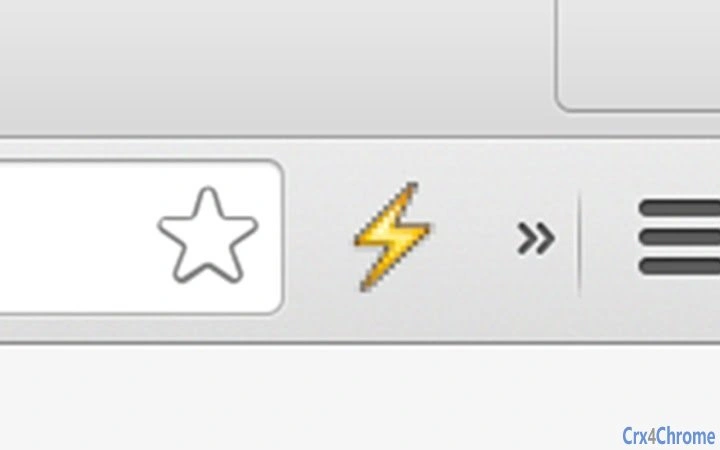
The user interface is designed for simplicity and clarity. A small, unobtrusive indicator appears in the browser toolbar when an AMP page is detected, signaling the availability of an optimized version. Clicking this indicator opens the AMP page directly, reducing manual navigation steps. The workflow is streamlined: detection happens automatically, and access requires only a single interaction.
Navigating between standard and AMP versions is intuitive, with no need to copy URLs or search for alternate formats. The tool operates in the background, minimizing interference with other browser activities. The developer did not specify resource usage details, but the 2.5 MB file size suggests a lightweight footprint. Performance observations are based on general software behavior patterns, indicating stable operation during typical browsing sessions.
Stability appears consistent, with no reported issues related to crashes or conflicts with other extensions. The tool maintains responsiveness even when multiple tabs are open. No significant CPU or RAM consumption was noted in standard usage scenarios, though actual performance may vary based on system configuration and browser load.
Compatibility & System Requirements
The software is compatible with Chrome on Windows, Mac, and Linux operating systems. It supports the latest stable versions of Chrome as of the release date, ensuring broad accessibility across desktop platforms. The installation size is 2.5 MB, which is minimal for a browser extension, indicating efficient code and low storage impact.
Exact system requirements were not listed. The developer did not provide additional system requirements. Compatibility information is limited to the supported operating systems and browser. No hardware-specific demands were mentioned, suggesting that the tool is designed to function on standard desktop configurations without specialized components.
Pros and Cons
Pros
- Instant detection of AMP pages within Chrome
- One-click access to optimized content versions
- Lightweight with minimal impact on browser performance
- Seamless integration with Chrome across multiple platforms
- Free to use with no hidden costs
Cons
- No advanced analytics or reporting features included
- Limited to Chrome browser only
- Does not support AMP detection on non-Chrome browsers
- Basic UI without customization options
- Updates may require manual confirmation
FAQ Section
Is this tool compatible with all Chrome versions?
The software is designed to work with the latest stable versions of Chrome as of the release date. Compatibility with older or experimental versions is not guaranteed.
Is the extension safe to use?
As a browser extension developed by WebMaster Tools, it operates within Chrome’s security model. No personal data is collected or transmitted. Users are advised to install only from official sources.
Does it require an internet connection to function?
Yes, the extension requires an active internet connection to detect and load AMP pages. It cannot function offline.
How often are updates released?
Updates are released as needed to maintain compatibility with Chrome and address any reported issues. The frequency depends on development cycles and user feedback.
Can I use this tool on multiple devices?
Yes, the extension can be installed on multiple devices running Chrome, provided each device uses the same Chrome account and the extension is manually added.
Final Thoughts
For SEO professionals, web developers, and digital marketers focused on web performance, this Chrome extension offers a valuable shortcut to AMP content. Its ability to detect and provide instant access to optimized pages enhances efficiency during audits, competitor research, and content optimization tasks. The lightweight design and free pricing make it accessible to a broad audience.
While it lacks advanced analytics or cross-browser support, its core functionality is reliable and well-executed. The tool fills a niche need with minimal friction. For users who frequently work with AMP, this extension is a practical addition to their toolkit.
Download One-Click AMP Page Access in Chrome now.







